
One window.
Every instruction.
Turn plain-language requests into coordinated actions across Gmail, Calendar, Drive, Docs, Jira, and web tools without switching tabs.
CommandLyne Assistant decomposes every instruction into structured, previewable steps so teams execute complex work with complete human oversight.
Book a DemoActive Connectors
12 ConnectedCommandLyne continuously syncs and processes updates from your existing software stack to build a unified semantic graph.
- Jira WorkspaceSynced 2m ago
- Slack EnterpriseListening in realtime
- NotionListening in realtime
Connect your tools. Ask once. Move the work forward.
One instruction can move through the systems needed to complete the task — from retrieving information to creating and sharing the final result.
01
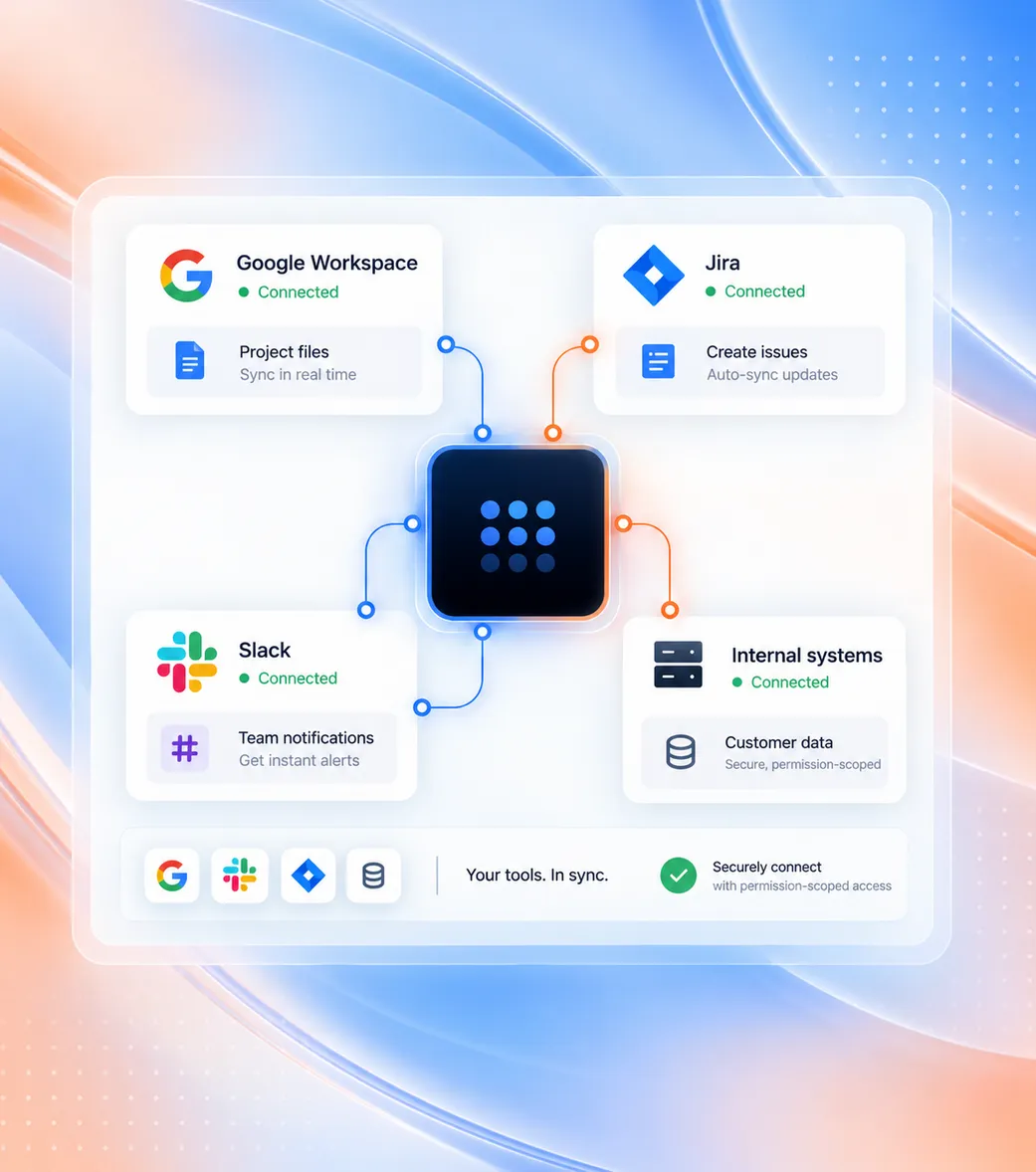
Connect the tools your teams already use.
Securely link Google Workspace, Jira, communication channels, and internal systems through permission-scoped connectors without data duplication.
02
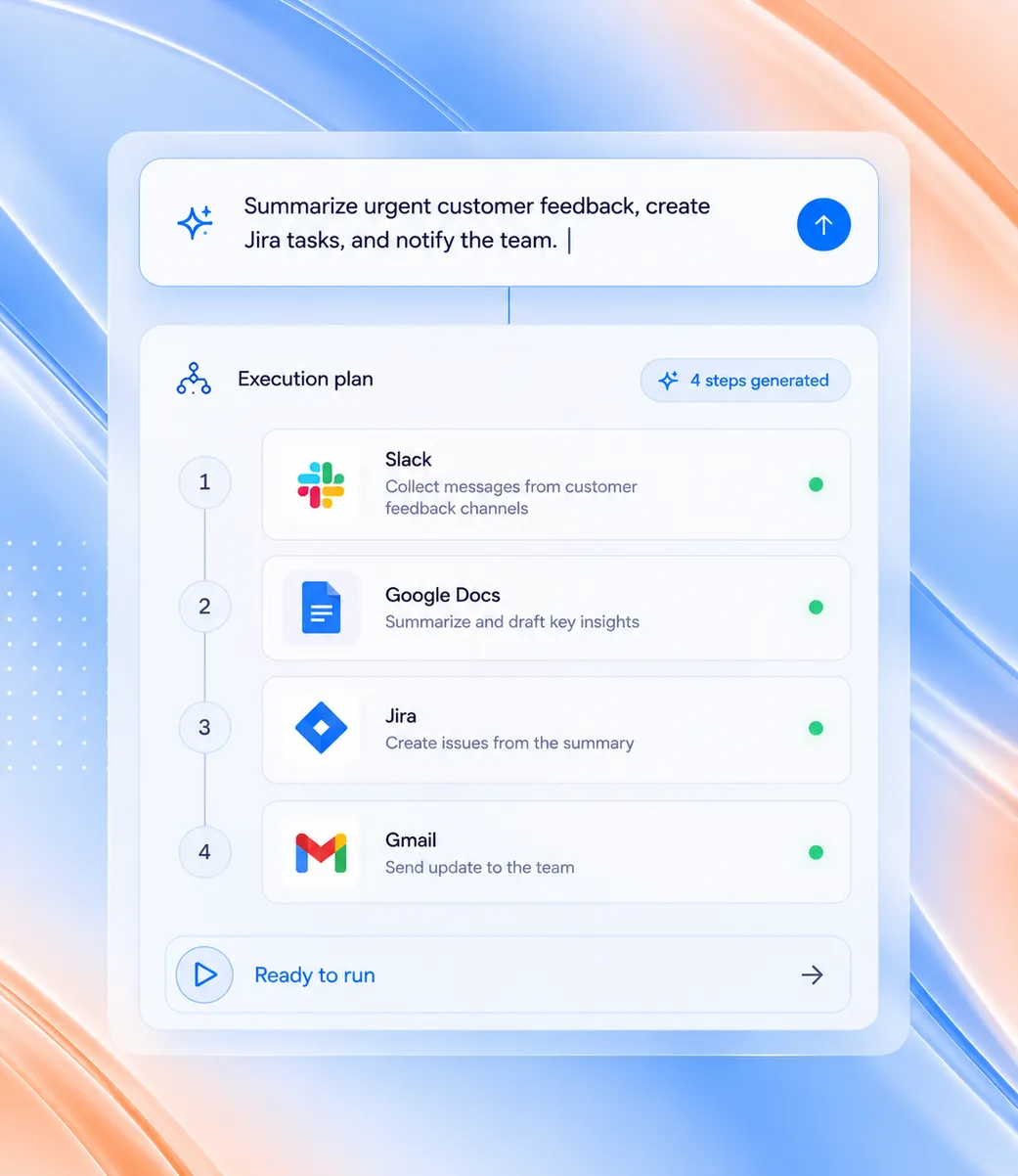
Give CommandLyne the instruction in plain language.
Type what you need in natural language. CommandLyne decomposes the request into an ordered, multi-step execution plan across the required tools.
03
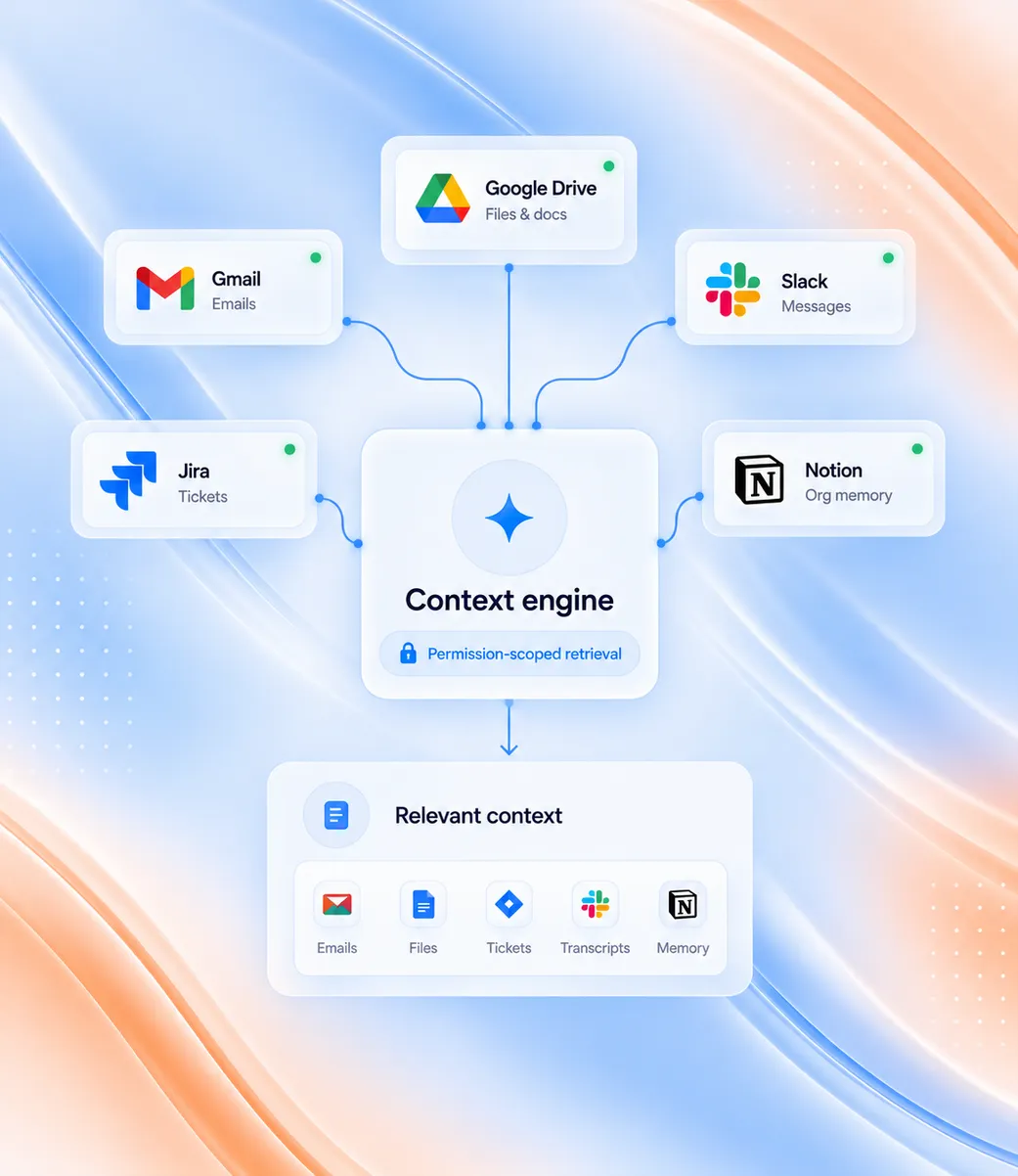
Pull relevant context from across your enterprise stack.
Retrieve files, emails, tickets, transcripts, and organizational memory with permissions strictly scoped to the requesting user.
04
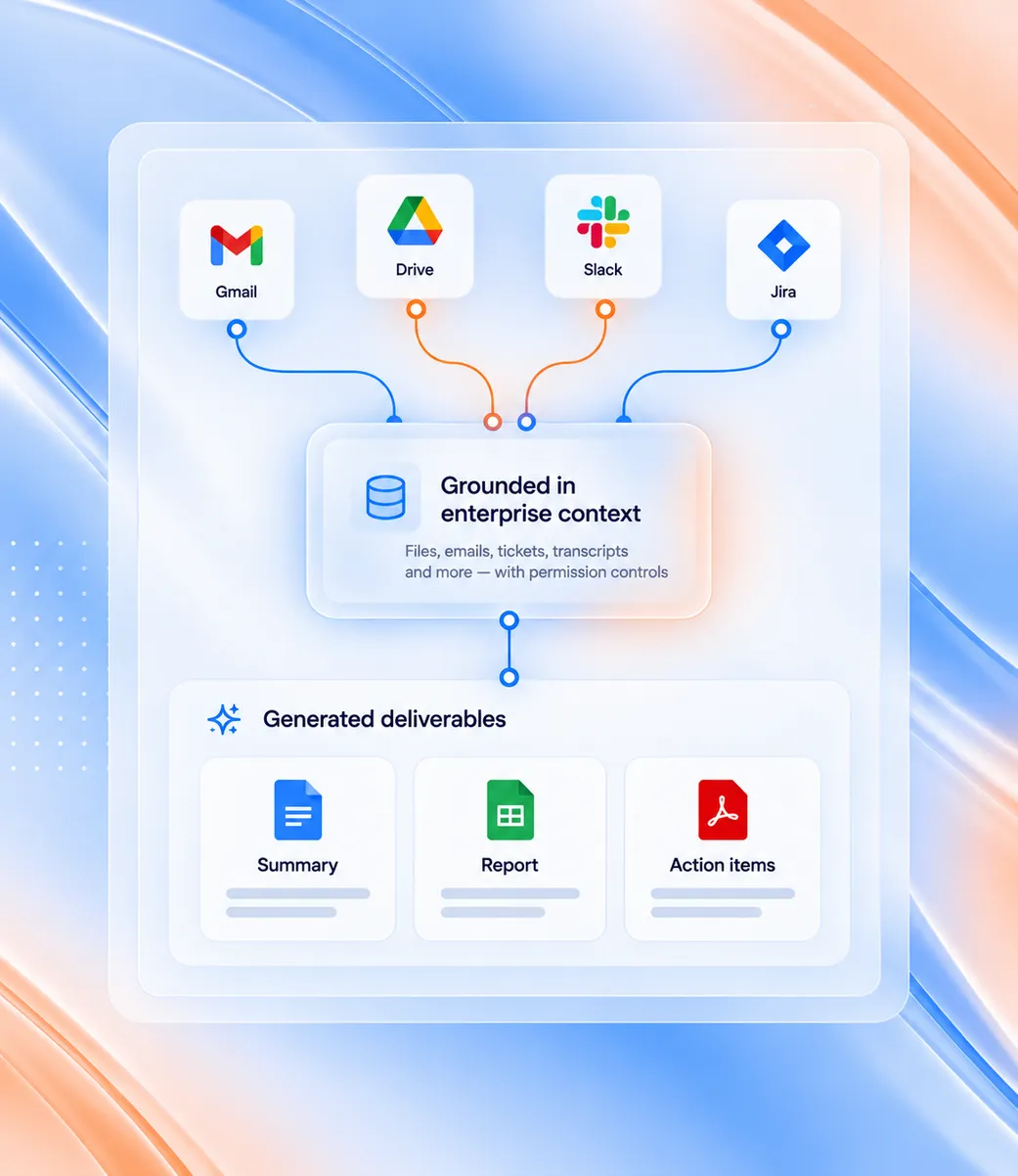
Generate grounded content, updates, and deliverables.
Produce documents, spreadsheets, issue updates, and tailored summaries built on real enterprise context rather than generic AI output.
05
Send work across connected tools.
Send emails, update project boards, notify messaging channels, or schedule calendar events—always with human review and approval controls.

Answers based on what your organization already knows.
CommandLyne uses permitted information from connected enterprise systems to provide relevant context for each request.
Gmail
Customer conversations and communication history.
Drive & Docs
Documents, reports, and shared knowledge.
Jira
Tickets, sprint activity, and project context.
Web Sources
Current information for research when needed.
Other Connected Sources
Additional enterprise information connected to CommandLyne.





Turn connected information into useful insight.
Combine enterprise context and external information to research, compare, summarize, and identify relevant signals.
Competitive Research
Combine internal context with current external information.
Sprint Retrospectives
Analyze Jira activity and sprint performance.
Customer Signal Analysis
Identify meaningful patterns across customer communication.
Cross-System Research
Bring together information spread across multiple systems.
Current Web Research
Retrieve relevant external information through secure browser automation when current web data is required.
See what happens before CommandLyne takes action.
CommandLyne can carry work forward across connected tools while keeping the user in control before execution.
01/05
Preview
See exactly what CommandLyne plans to do.
02/05
Approve
Confirm the planned action.
03/05
Adjust
Change the action before it runs.
04/05
Cancel
Stop the action when needed.
05/05
Rollback
Correct supported actions after execution when required.
The more you use it, the more useful it becomes.
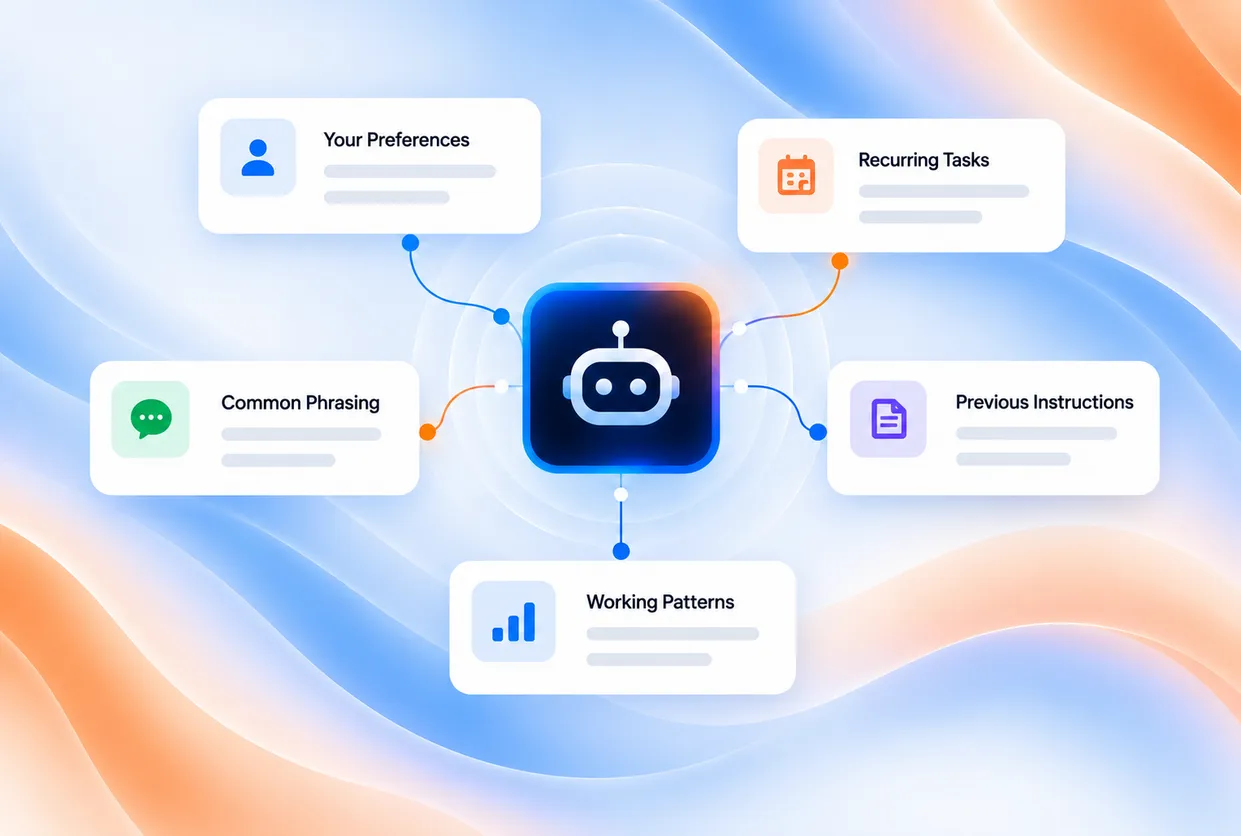
CommandLyne can retain personal preferences, working patterns, and previous instructions so users spend less time repeating themselves.
- Preferred Formats
- Recurring Tasks
- Common Phrasing
- Previous Instructions
- Working Patterns

Ask for the outcome. Let CommandLyne handle the path.
Use one natural-language interface to understand enterprise context, analyze information, create useful work, surface relevant insights, and move approved tasks forward.